¶ 1. Install SECS/GEM service
¶ 1.1 Installation on Windows
Click the link below to download the SECS/GEM service program for Windows 7/8/10/11 and other systems.
📥︎ KXTCGEM_NT.exe (Version 2.1.1.26204)
📥︎ KXTCGEM_NT.exe (Version 2.2.0.26218)
After extracting the file, copy it to the Windows operating system of the Beckhoff PLC and run the program.
Note: Because the SECS/GEM service needs to listen on a Socket port to accept connections from the factory Host, running the service program requires administrator privileges. After the service starts, it will automatically be added to Windows startup items.
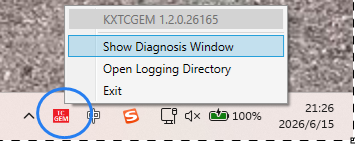
After the service starts, a small icon appears in the taskbar by default. Right-clicking the icon pops up menus:
- Open Diagnosis Window
- Open Logging Directory
Open the debugging/diagnostics interface, export the PLC machine code file, and email it to sales@kxware.com to purchase an official runtime license.
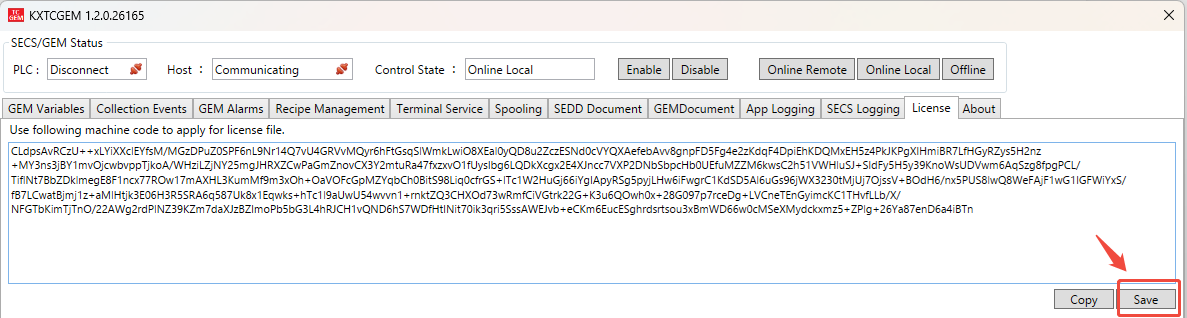
Note: Even without an installed runtime license, the 24-hour trial period will automatically reset each time the PLC program is restarted (not a PLC hardware power cycle). During the trial period, all functions are identical to the official version. Even after the 24-hour trial period expires, only the TCP connection to the factory host will be closed, with no adverse impact on the running PLC program.
Click the "Add License" button, select the runtime license file with the .mc extension, and the authorization process will be completed.
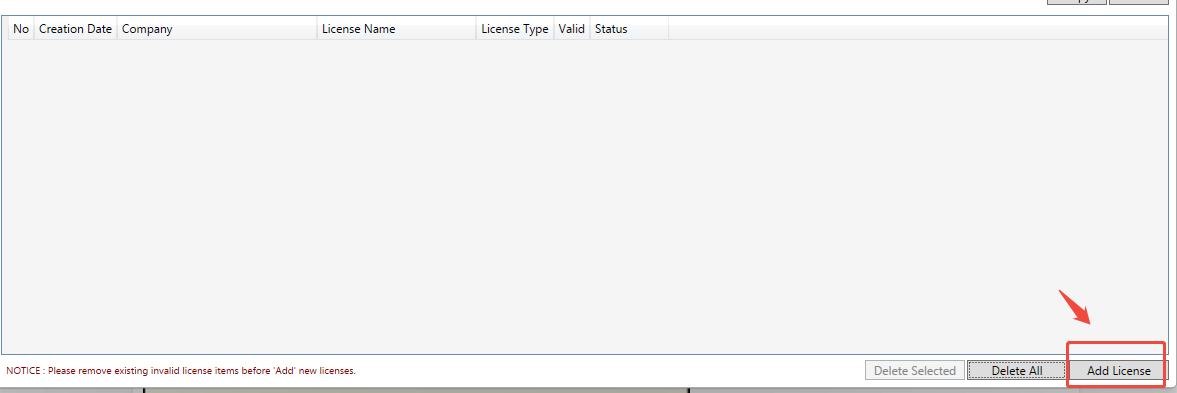
At this point, the installation of the SECS/GEM service program for the Windows operating system is complete.
¶ 1.2 Installation on WinCE
Click the link below to download the SECS/GEM service program for Windows CE systems.
📥︎ KXTCGEM_CE.exe (Version 2.1.1.26204)
📥︎ KXTCGEM_CE.exe (Version 2.2.0.26218)
After extracting the file, copy the program to the PLC via FTP service, then run the program through WinCE Remote Desktop.
Note: For Remote Desktop connection, click the link below to download the WinCE remote login tool.
📥︎ TwinCAT WinCE Remote Desktop Application
After the program starts, it will automatically be added to the WinCE startup items.
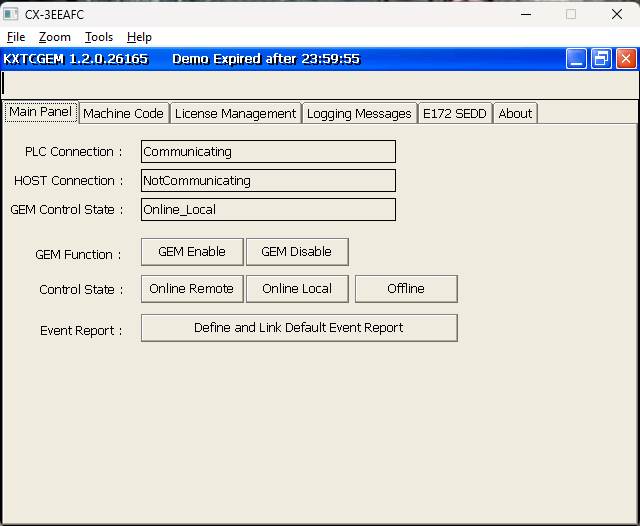
Switch to the "Machine Code" interface, export the PLC machine code file, and email it to sales@kxware.com to purchase an official runtime license.
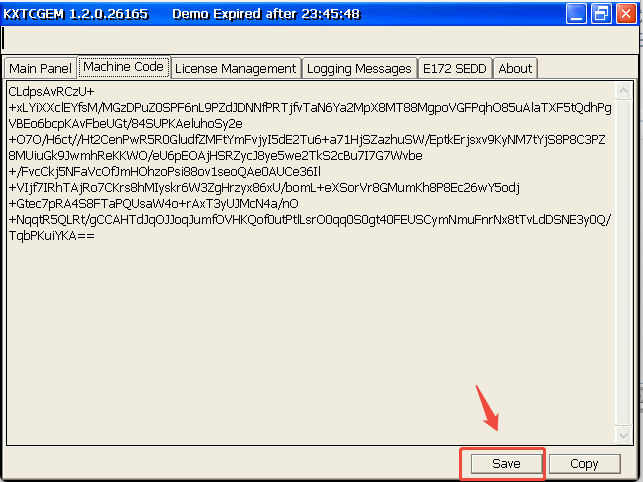
Note: Even without an installed runtime license, the 24-hour trial period will automatically reset each time the PLC program is restarted (not a PLC hardware power cycle). During the trial period, all functions are identical to the official version. Even after the 24-hour trial period expires, only the TCP connection to the factory host will be closed, with no adverse impact on the running PLC program.
Switch to the "License Management" interface, click the "Add License" button, select the runtime license file with the .mc extension, and the authorization process will be completed.
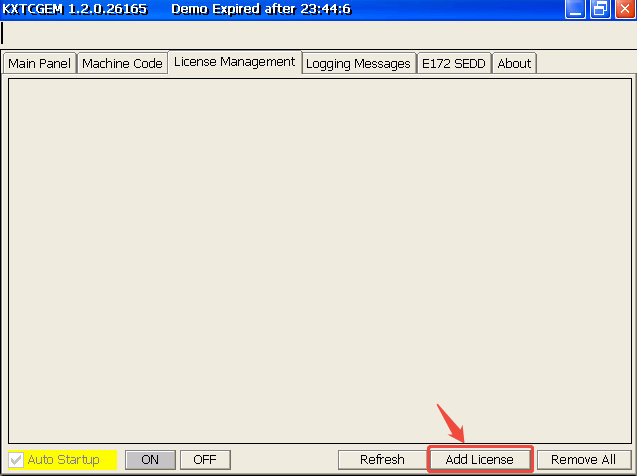
At this point, the installation of the SECS/GEM service program for the WinCE operating system is complete.
¶ 2. Install PLC Library
📥︎ KXGEM_2.1.1.26204.compiled-library
📥︎ KXGEM_2.2.0.26218.compiled-library
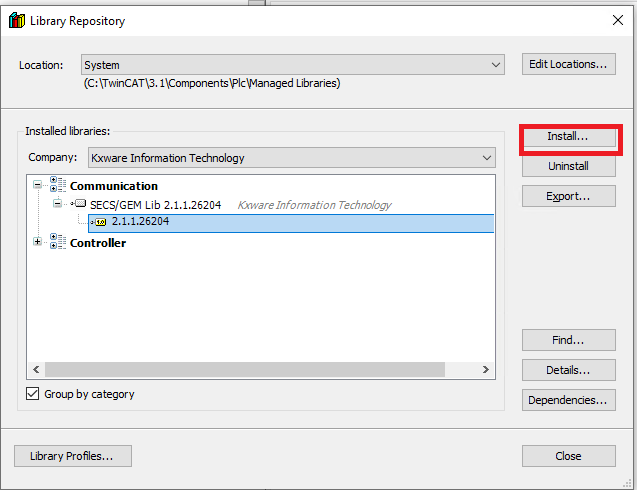
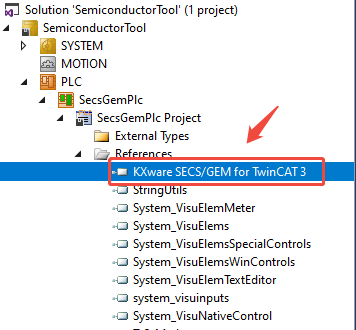
Note: Must update KXTCGEM PLC library file when 1st time open TwinCAT SECS/GEM sample project.
¶ 3. Run Sample Code
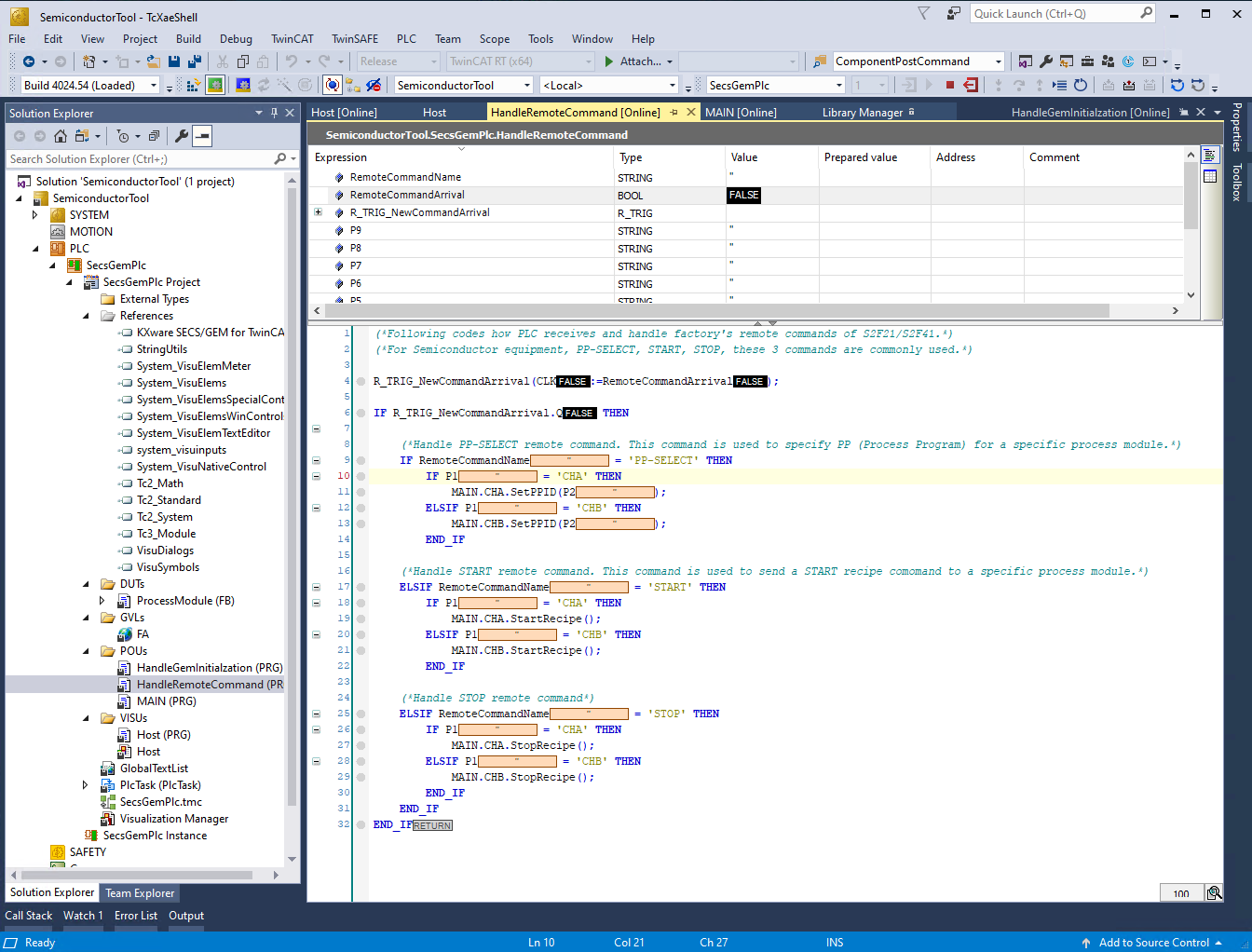
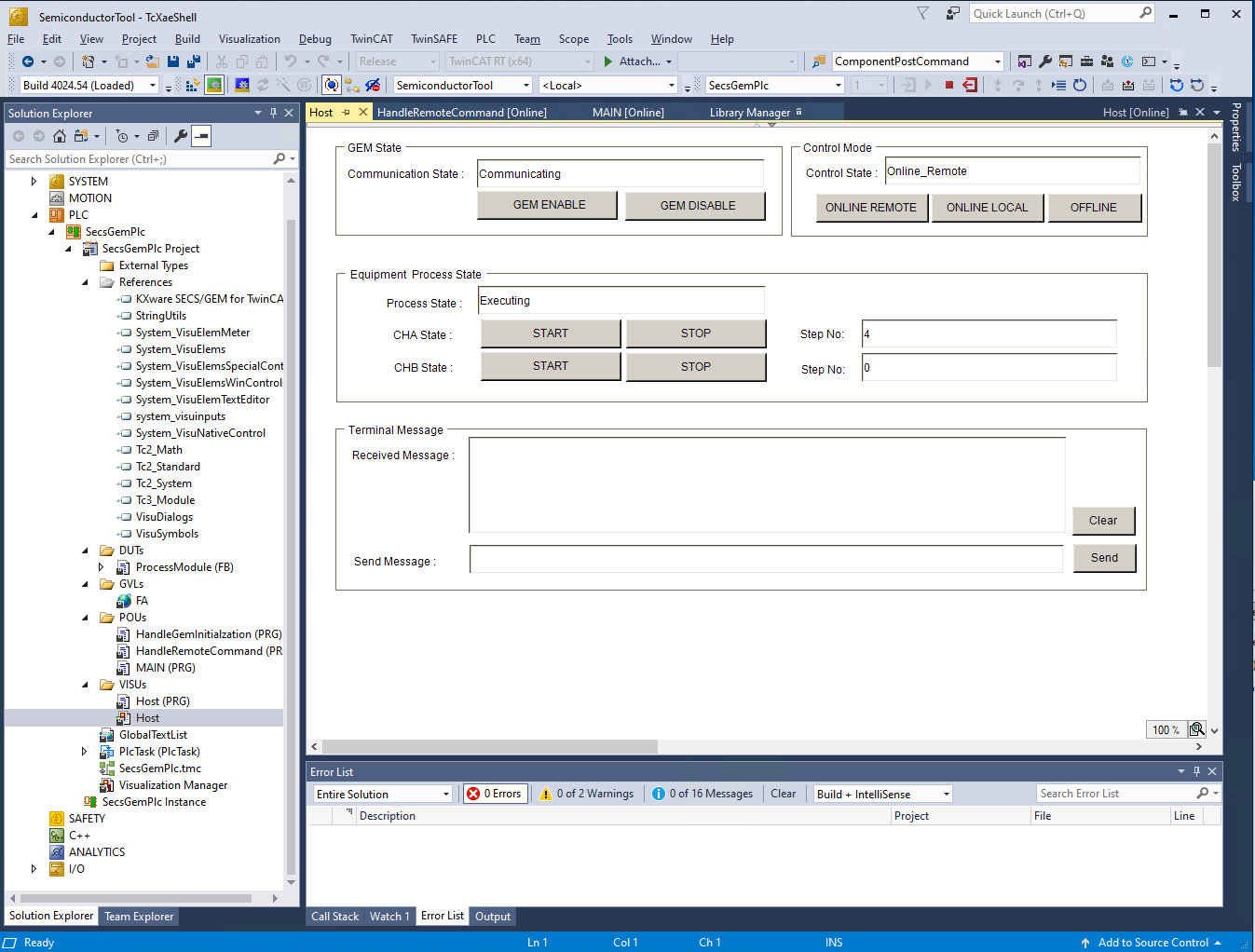
To help users quickly master SECS/GEM integration development based on the KXTCGEM PLC library, we have created a TwinCAT engineering project that demonstrates a semiconductor equipment example. Please click the link below to download the project file.
📥︎ PLC SECS/GEM Sample Project (Version 2.1.1.26204)
📥︎ PLC SECS/GEM Sample Project (Version 2.2.0.26218)
Open the downloaded archive file in TwinCAT 3, select the target PLC, and download/run the program.
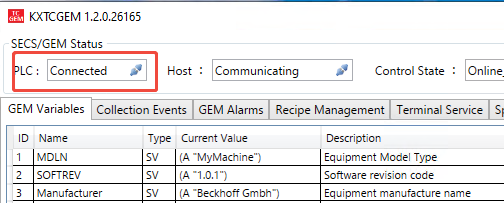
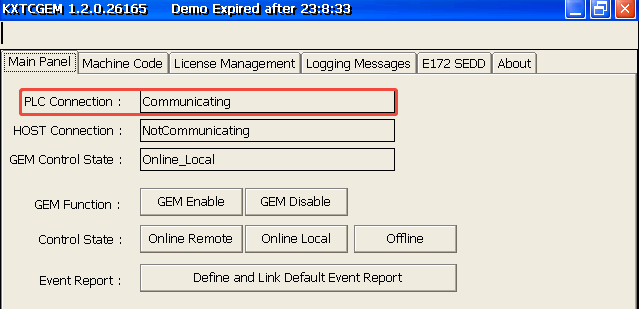
When the PLC status on the Windows/WinCE interface shows "Communicating", it indicates that the SECS/GEM service has successfully connected to the TwinCAT PLC.
¶ 4. EAP Simulation Test
To facilitate users in testing the PLC SECS/GEM service, KXware has developed a free GEM basic function verification tool. Users can manually send SxFy messages to perform EAP function validation tests. Please click the link below to download the latest version of the GEMValidator tool software.
📥︎ GEMValidation EAP Emulator (Version 1.2.0.25100)
Connection field format explanation:
|
Connection Mode (Active indicates host actively connects to the equipment) |
Devcice ID (Default 0) |
PLC IP Address | HSMS Port No | |||
| Active | , | 0 | , | 192.168.1.15 | , | 5000 |
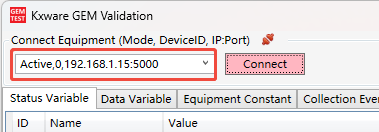
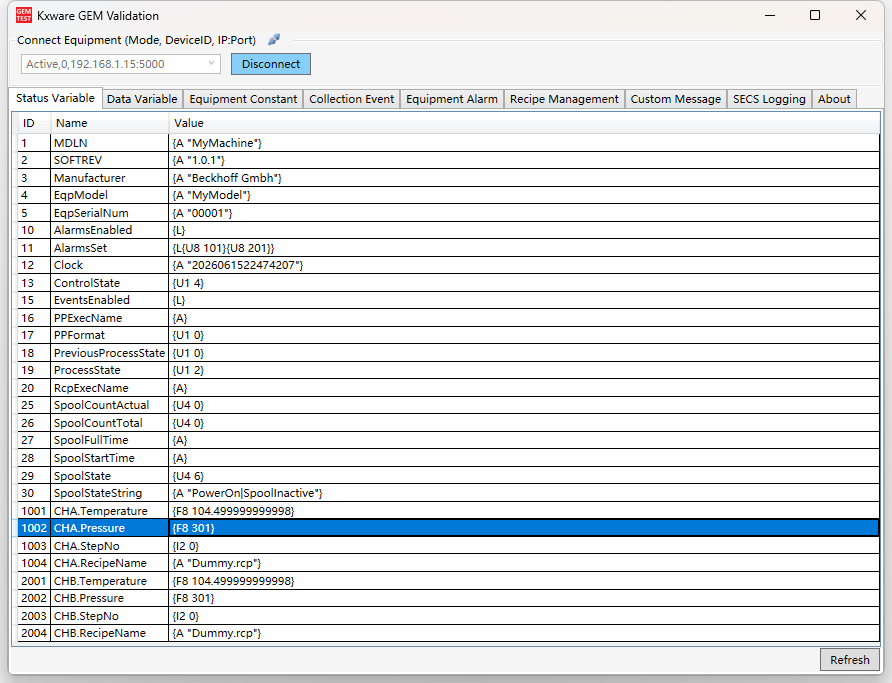
When the button turns blue, it indicates that an HSMS communication connection has been successfully established with the PLC. This tool can be used to test the basic functions of SECS/GEM:
- Status Variable Collection
- Data Variable Collection
- Equipment Constants
- Equipment Events
- Equipment Alarms
- Recipe Management
- Custom Messages
- SECS Real-time Logs
¶ 5. Release Notes
[Release Notes]

2026/08/06     Version 2.2.0.26218
===============================================
1. Changed default EC 'DataUpdateInternalSetting' value from 20ms to 200ms for WinCE PLC.
2. Changed PLC heart beat timeout setting from 1 second to 5 seconds.


2026/07/23     Version 2.1.1.26204
===============================================
1. Changed Alarm Ctor method in TwinCAT. Allow user to specify Alarm SET/CLEAR event ID from PLC code.
2. Optimization to auto ID assignment range. User can defined own ID from 1000 to 2147483648 (2^31).
3. Bug fix: no event/alarm triggering when event/alarm has no associated variables.


2026/07/21     Version 2.1.0.26202
===============================================
1. Optimization to stack usage to reduce risk of stackoverflow in WinCE TwinCAT.
2. Redesigned dual direction message queues between SECS/GEM service and PLC runtime.
3. Several optimization to starting up speed for WinCE TwinCAT.


2024/01/09     Version 1.0.5.109
===============================================
1. Minor changing to logging file.
2. Minor improvement to Secs/Gem driver.


2023/08/22     Version 1.0.4.822
===============================================
1. Several minor improvements to SECS/GEM lib.
2. Removed dll dependency with log4net and ssdp.
3. Added automatic logging file compression function.


2023/03/26     Version 1.0.3.326
===============================================
1. Added EAP validation application into setup package.
2. Added auto update function.
3. Added development guider into installation package.


2023/03/21     Version 1.0.2.321
===============================================
1. Several minor changes to GUI display content.
2. Embedded SECS/GEM lib with TwinCAT.GEM application.


2023/03/19     Version 1.0.1.319
===============================================
1. Initialized TwinCAT 3 SECS/GEM translation application.
2. Added Icon taskbar to show the app in windows Taskbar area.
3. Use Ads .Net library instead of Nuget Ads lib.
4. Added trial license generation function.
5. Mapped all SECS/GEM APIs from C# to TC ST lib.
6. This application should work with 'KXGEM.compiled-library'.
7. Added terminal message handling code in ST lib.
The above is the quick development guide for KXTCGEM. If you encounter technical issues during use, please feel free to send an email to support@kxware.com to get in touch with our technical team.